Free
$0
forever
- Full food catalog
- 7 introduction actions
- Tracker, sync, Sign in with Apple
- No account required
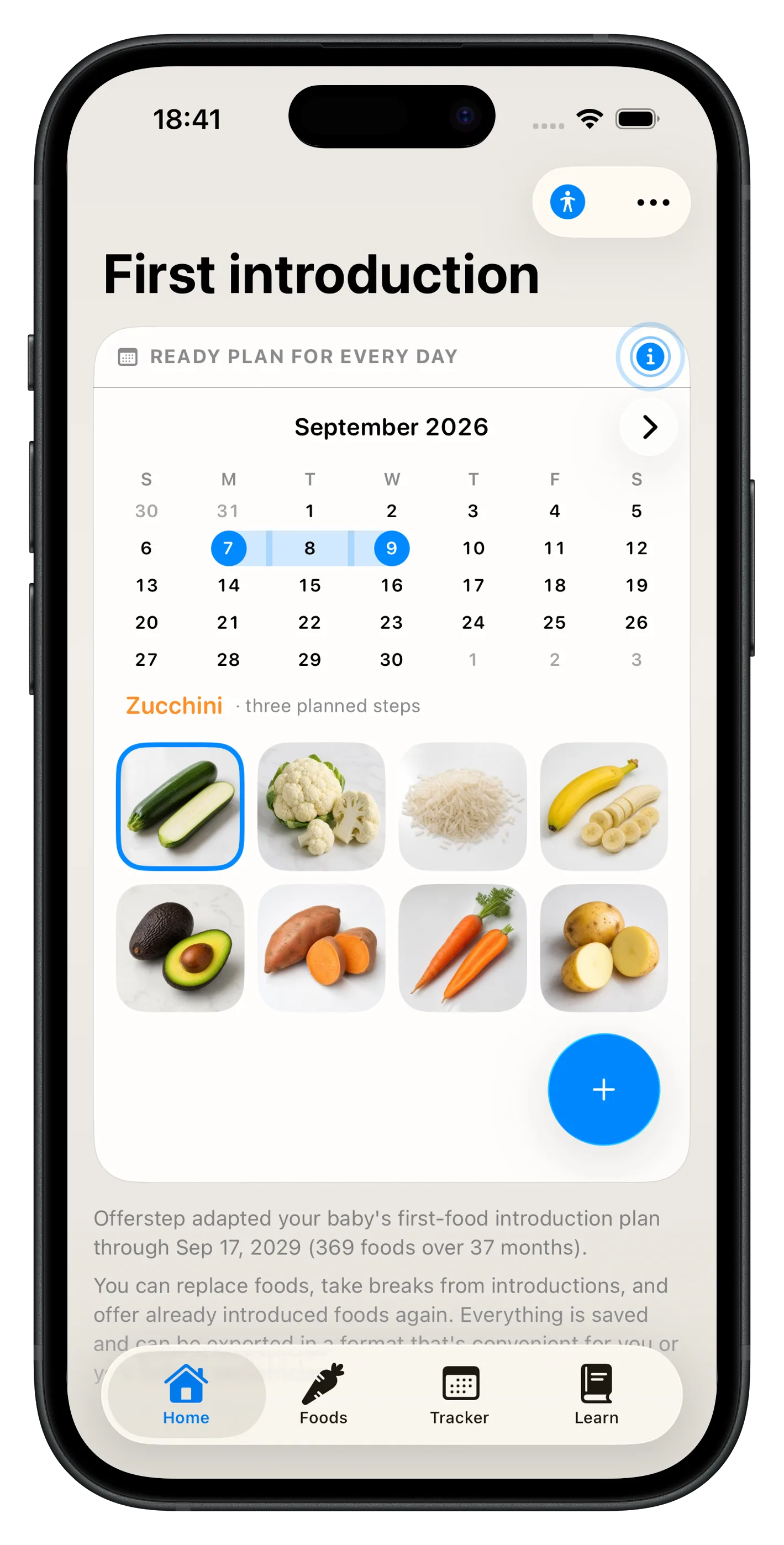
Each new food gets three calm days to introduce safely: a first taste, a second offer, then regular inclusion—with every step logged. Built on guidance from the WHO, CDC, and AAP, with allergen-aware patterns from NIAID where it matters.
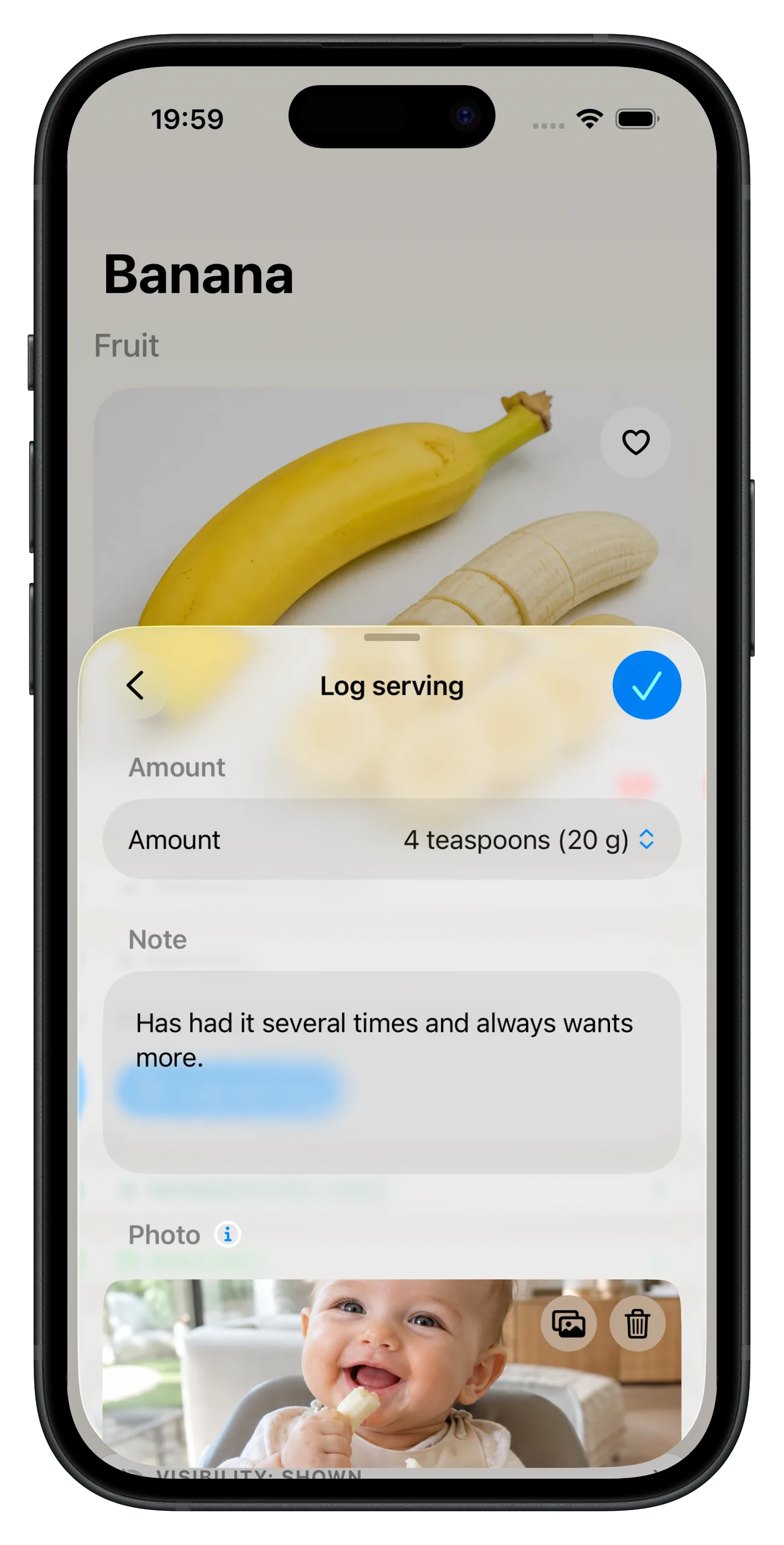
Servings
After a food is introduced, keep logging each offer—not only the first three days. Amount, date, and notes add up to a clear history you can revisit or share with your pediatrician.
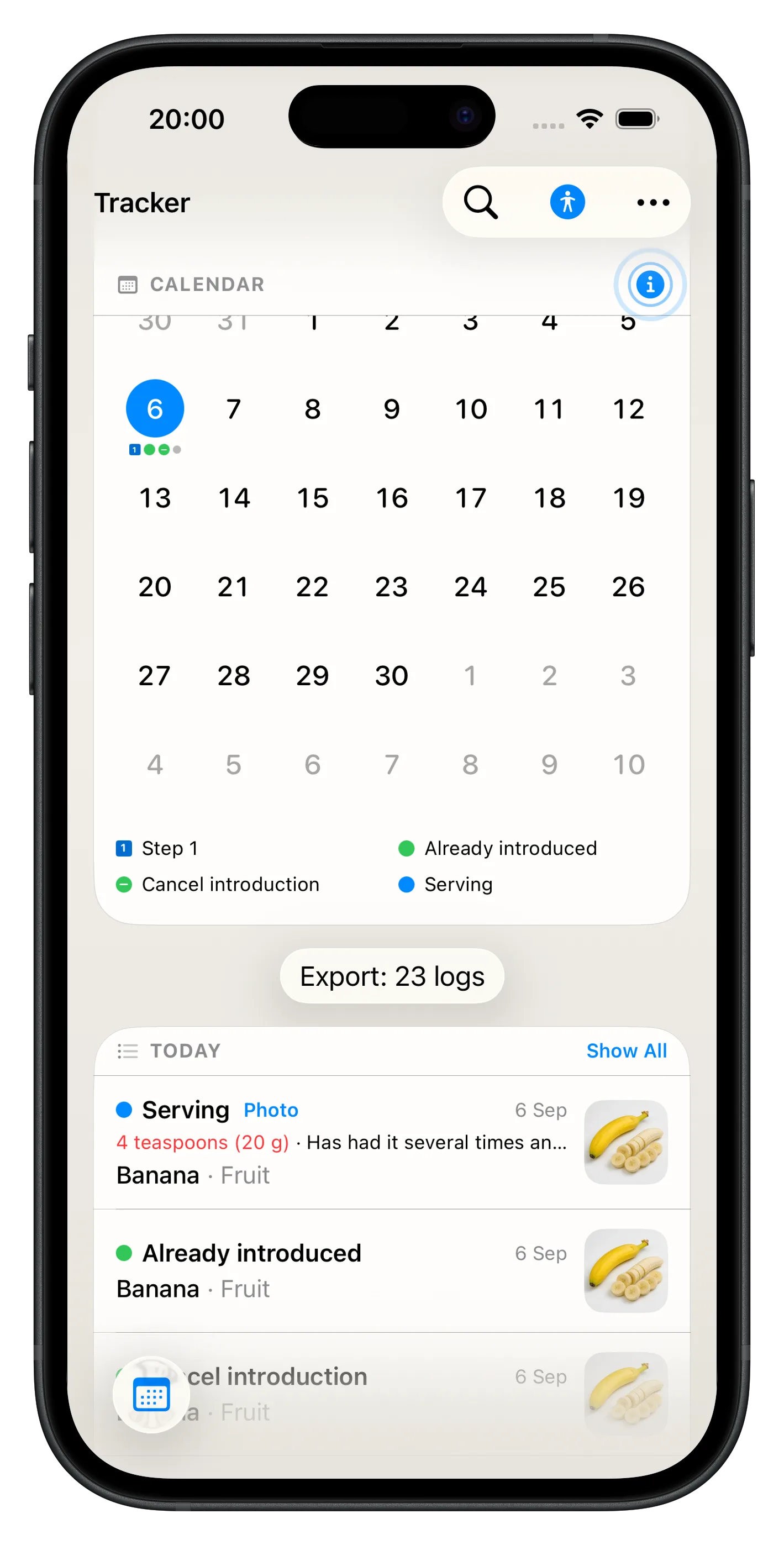
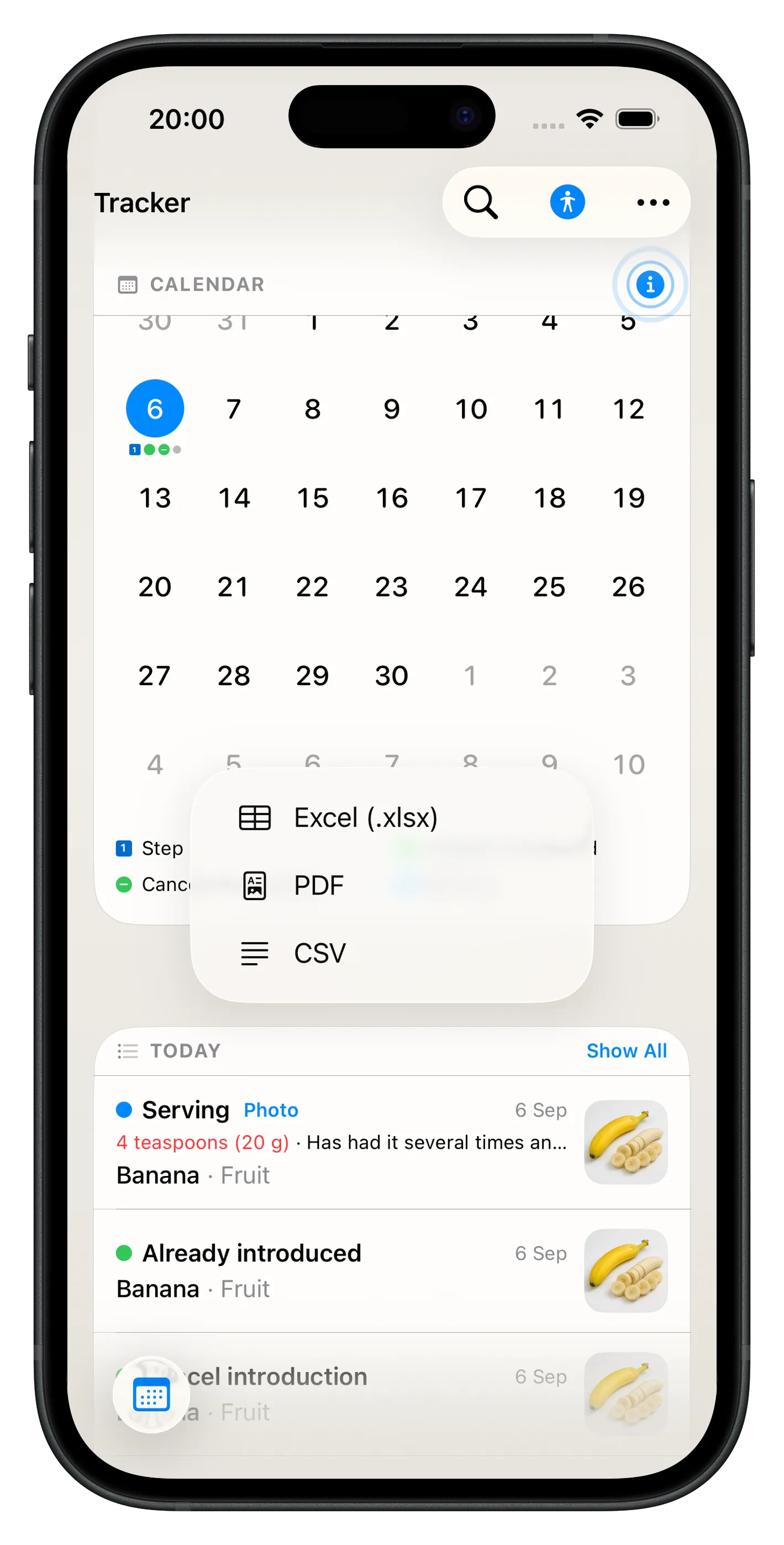
Tracker
Stop guessing what happened last Tuesday. Tracker turns every log into a clear feeding story you can scroll back through anytime—organized by date, searchable, and ready to export.
Export
Every logged action can leave Tracker as PDF, CSV, or Excel. Pick the format that works for you—or hand your pediatrician a tidy timeline before the appointment.
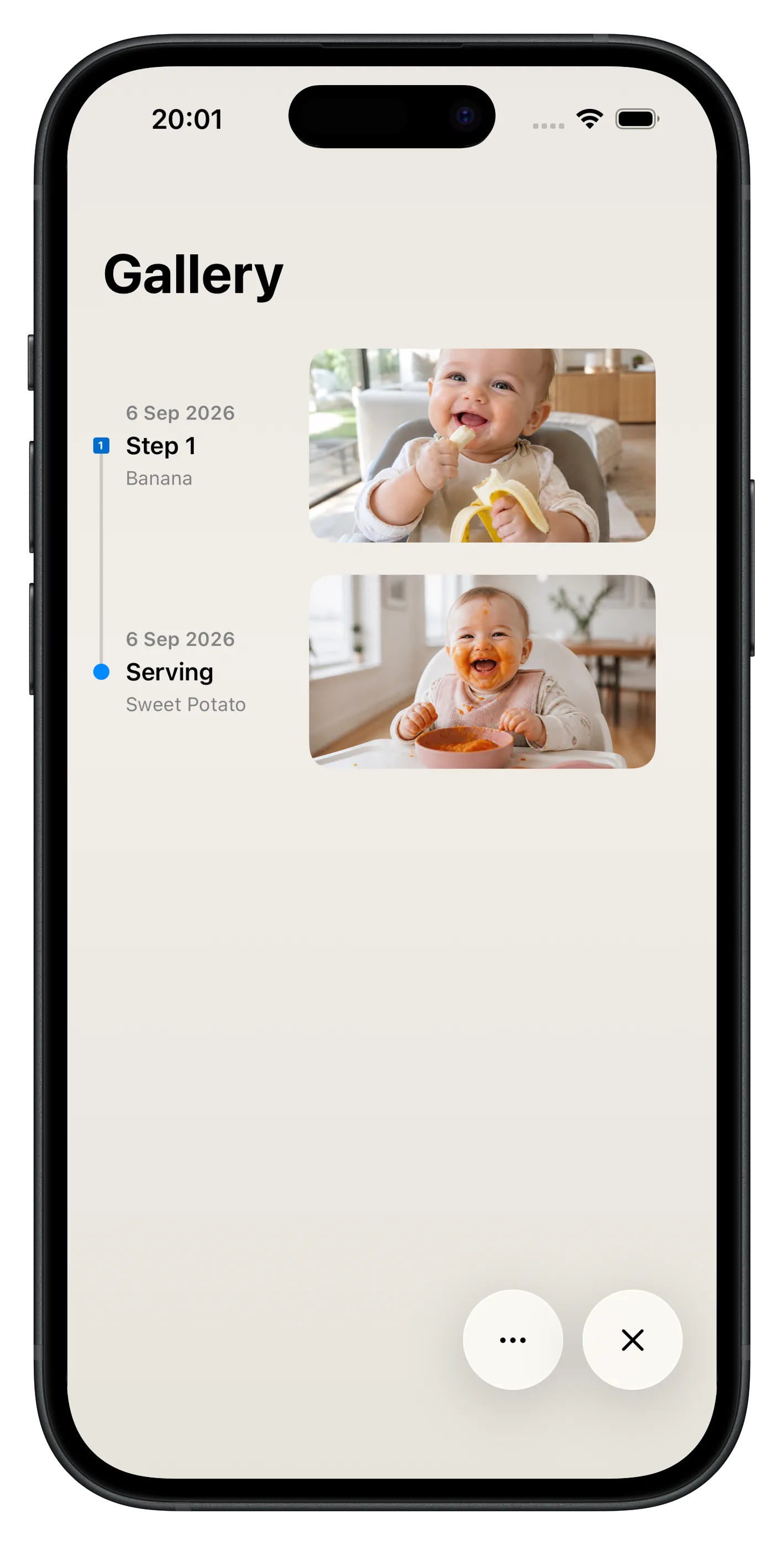
Gallery
Attach an optional photo to each introduction step and serving—your baby, the bowl, or both. Open it from Tracker or browse every memory on the Gallery timeline. A visual feeding diary that goes beyond notes.
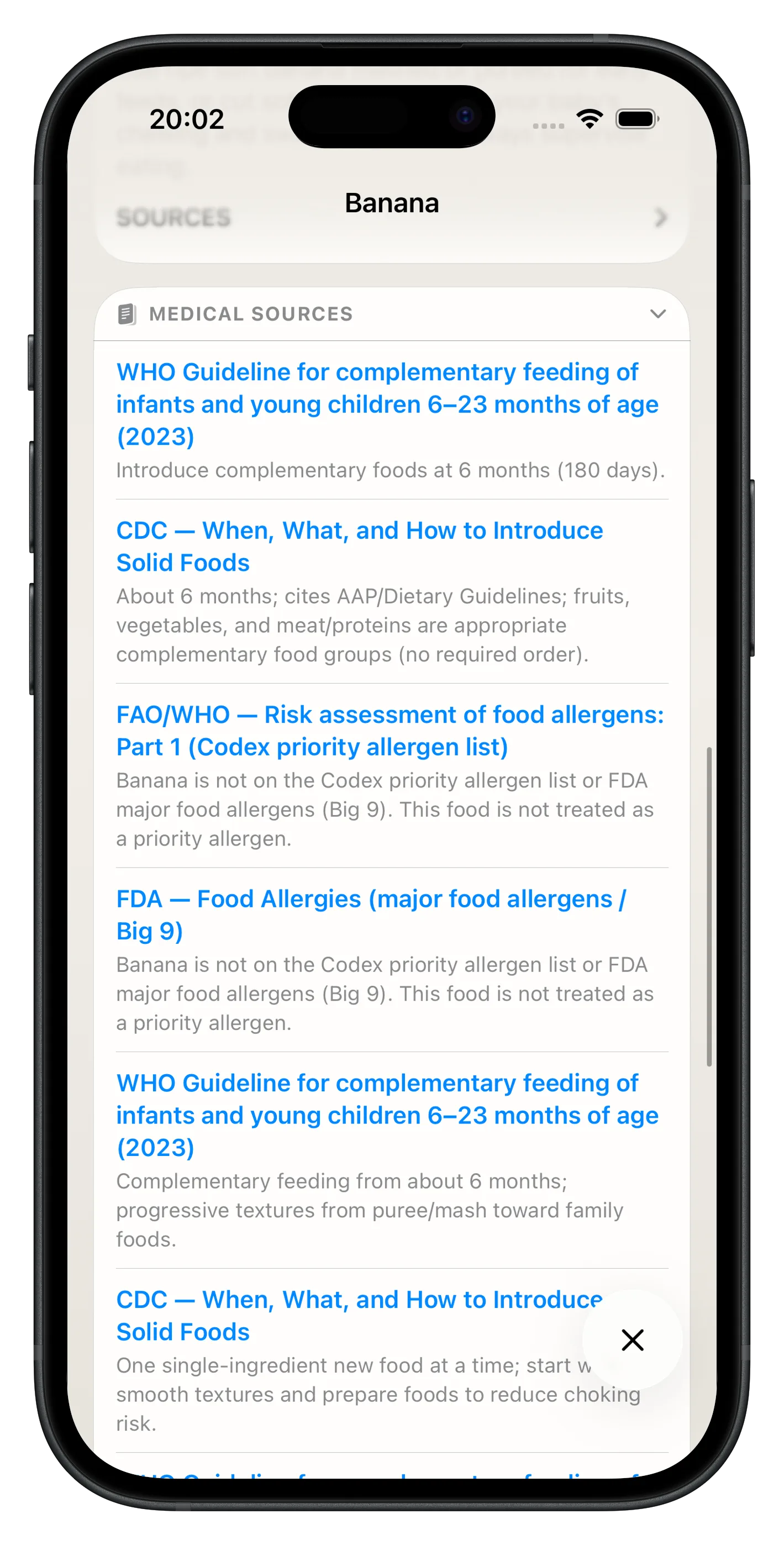
Sources
For 360+ foods, Offerstep shows when to introduce, how to offer safely, allergen flags, and nutrition highlights—each tied to public-health guidance from the WHO, CDC, AAP, and more. Tap Medical sources on any product to see the links behind the advice. Educational guidance, not blog guesswork.
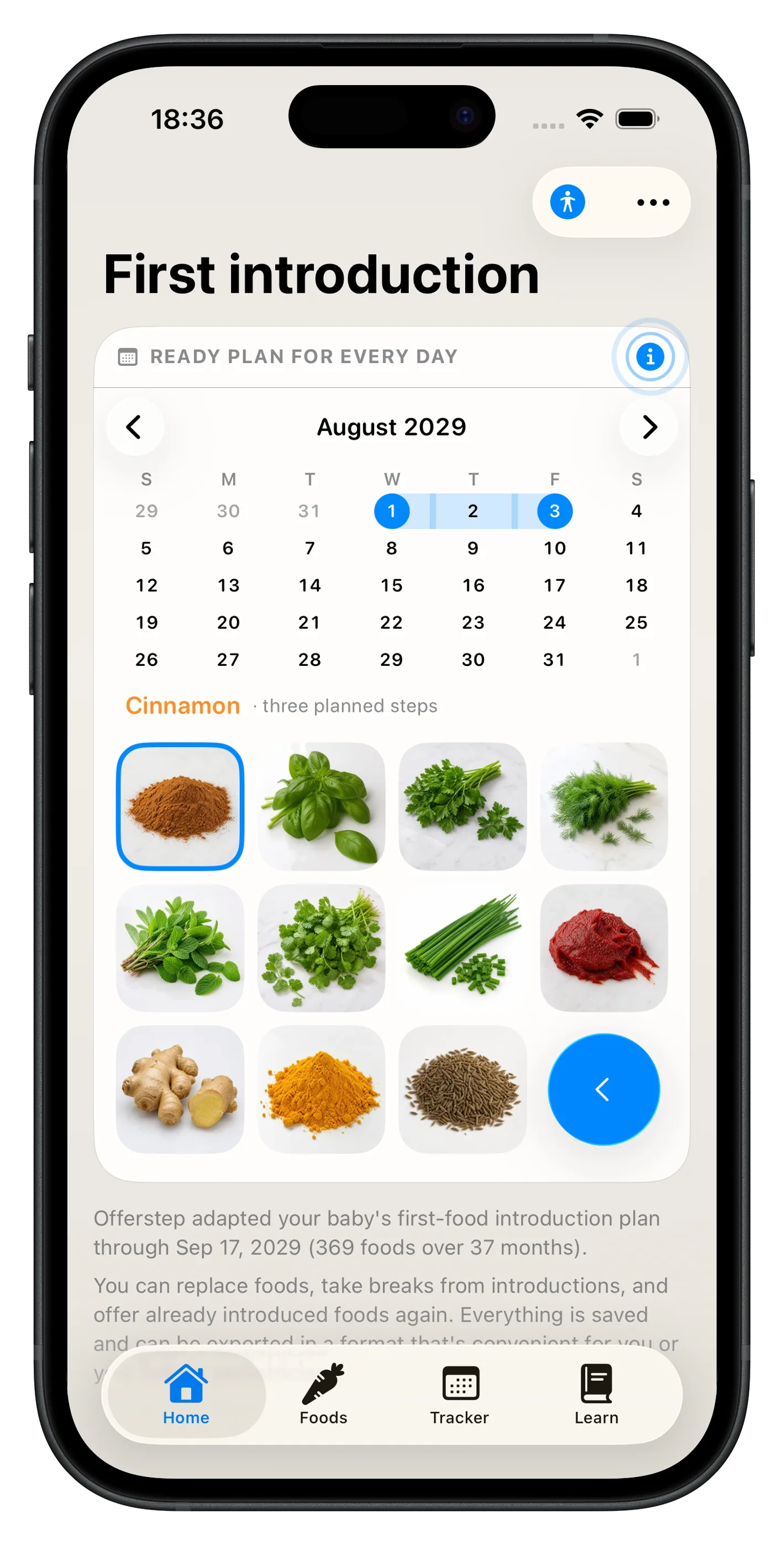
Introduction plan
Offerstep adapts a first-foods roadmap to your baby—what to try today, what comes next, and how long the journey runs. Follow the calendar, log each three-day introduction, and watch the plan update as you go. No guesswork—just the next step, every day.
Profiles
Add a profile for each child—each with their own age, allergies, diet, introduction plan, and Tracker history. Switch between babies in one tap from Home, Foods, or Tracker. Twins, siblings, or cousins: everyone's journey stays separate and organized.
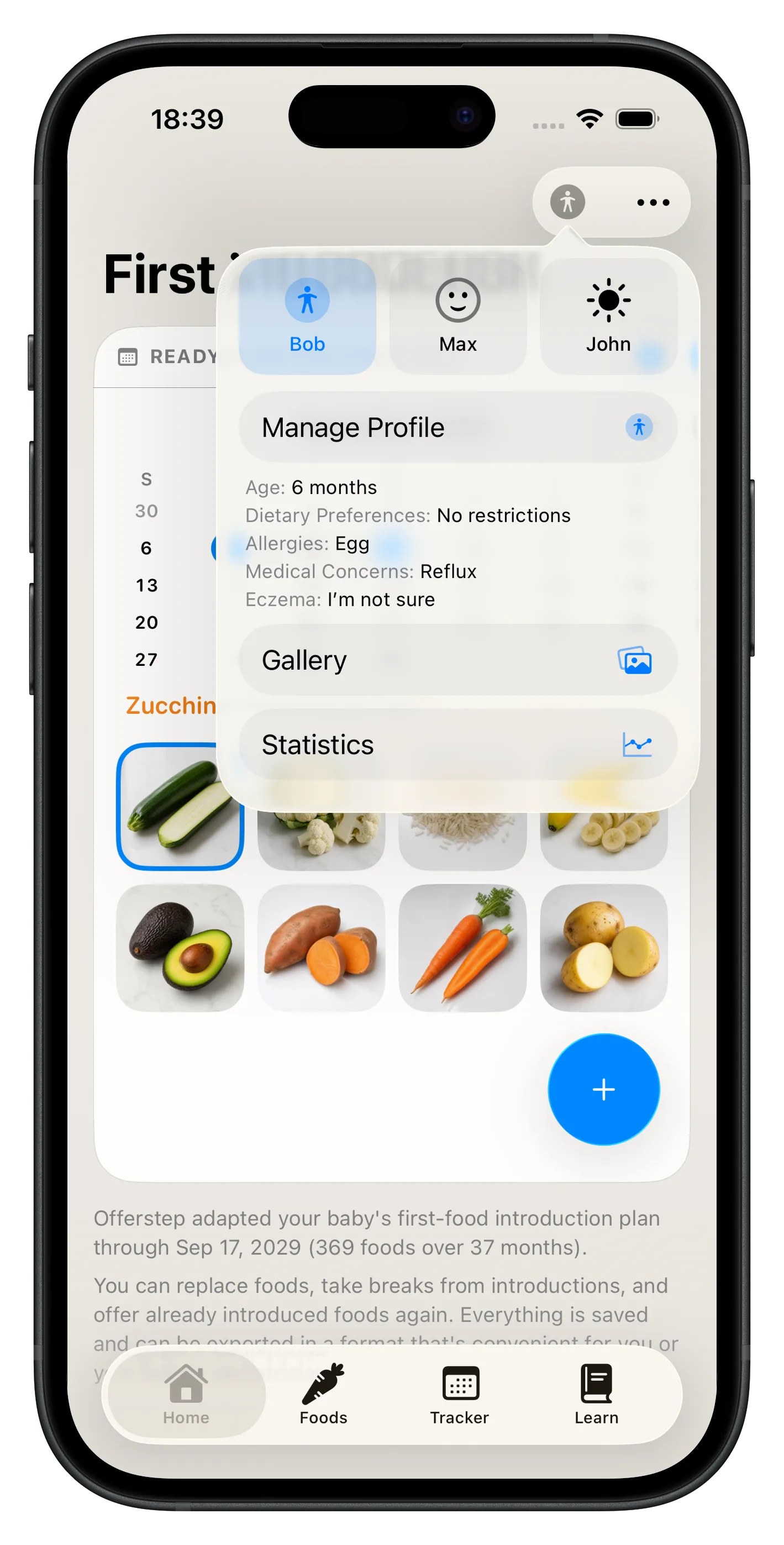
Statistics
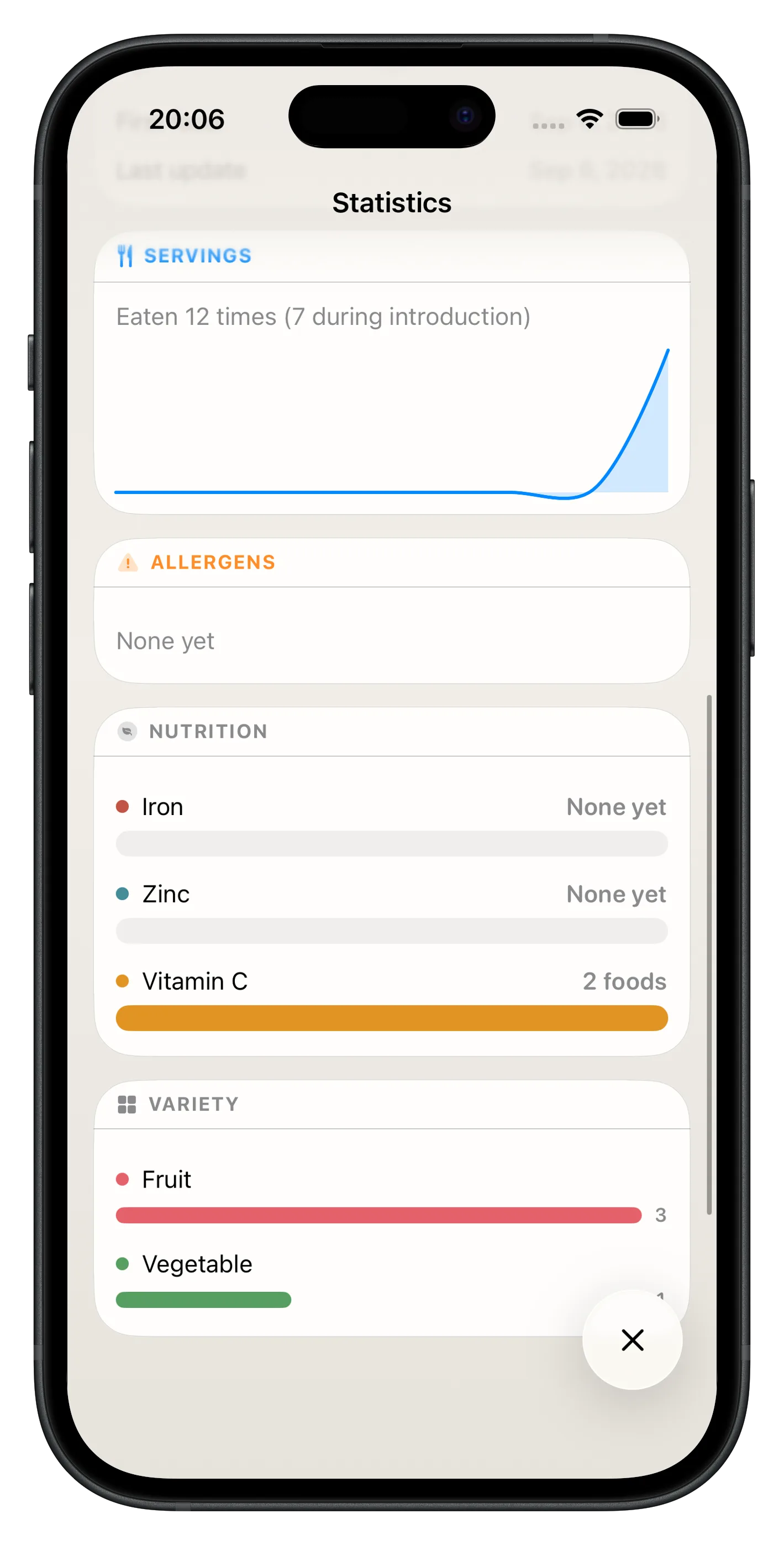
Statistics brings your baby's feeding journey into one clear screen: foods introduced, what's in progress, servings logged, allergens on the list, iron/zinc/vitamin C coverage, and variety by category. Charts and short labels—no spreadsheets, no guesswork.
Language
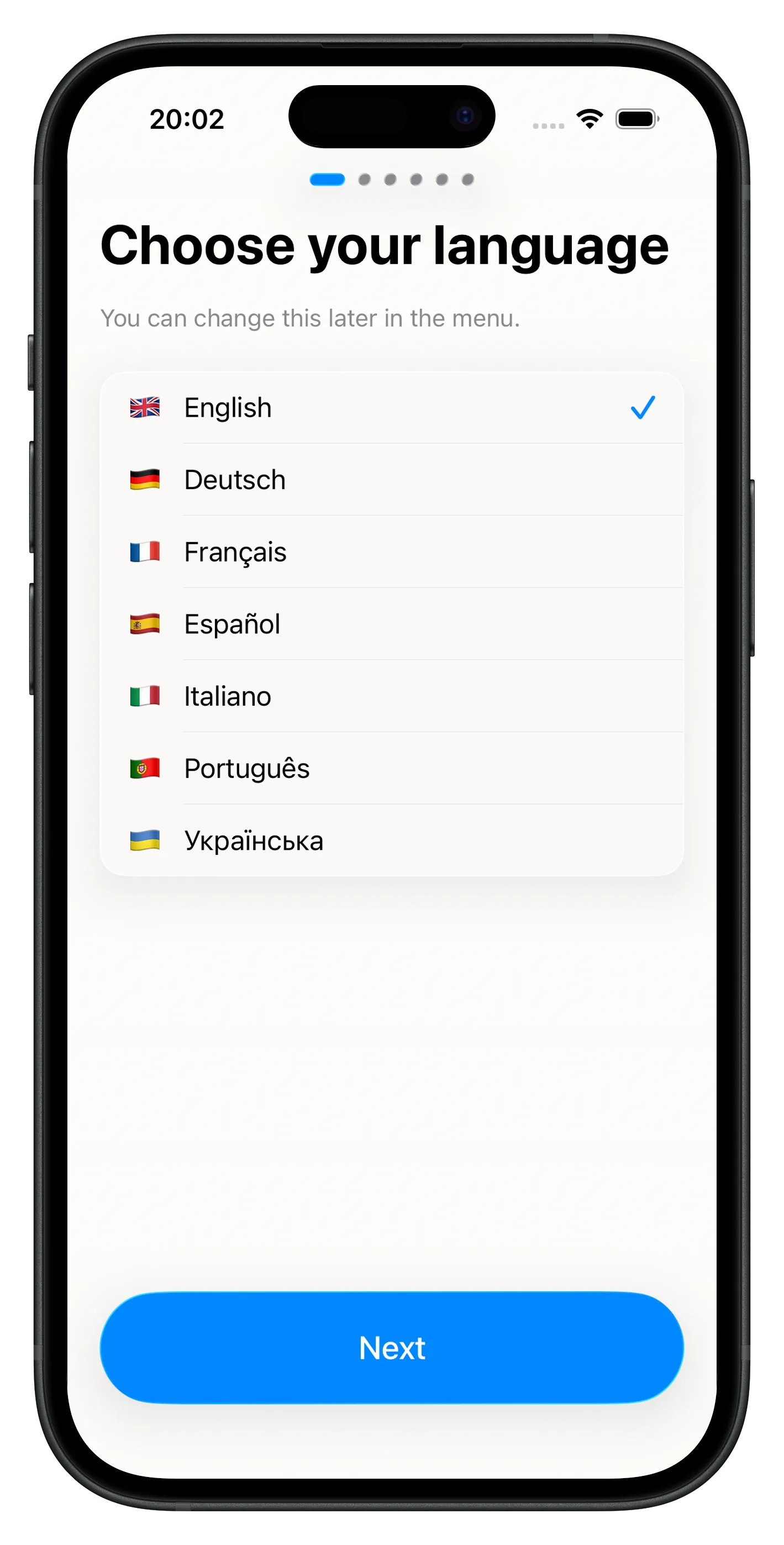
You can change this later in the menu.
Pricing
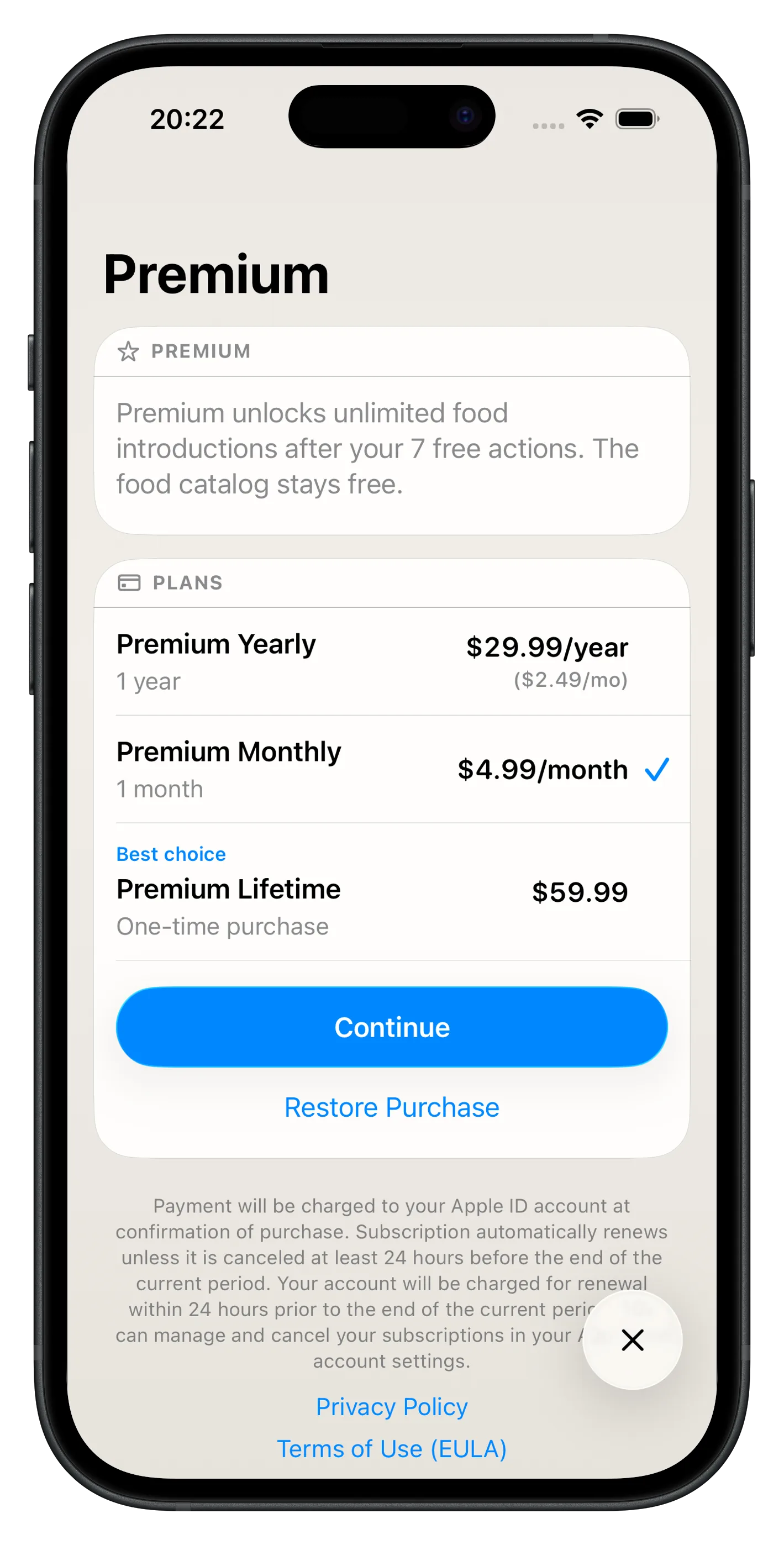
Seven introduction actions on us. After that, Premium unlocks unlimited introductions. Tracker, sync, and Sign in with Apple stay on the free tier. No free trial at launch.
Free
$0
forever
Yearly
$29.99
per year · about $2.49 / month
Monthly
$4.99
per month
Lifetime
$59.99
one-time purchase
Prices shown in USD. Final pricing appears in the App Store for your region. Subscriptions renew automatically unless canceled at least 24 hours before the end of the period. Restore Purchase is on the paywall and in Options → Plan.
In the app
Yearly, monthly, or lifetime. Restore Purchase if you switch iPhones. Privacy Policy and Terms of Use sit on the paywall, as Apple expects.
FAQ
No. Skip Sign in with Apple on Restore your data. Sign-in is optional if you want to restore baby profiles on another iPhone. We do not request your Apple email or name.
Use Restore Purchase on the paywall or in Options → Plan. Sign in with Apple can merge this iPhone into the purchased cloud profile.
Sign-in is optional. If you never used Sign in with Apple, use Delete Data in Options — that removes baby profiles and introduction history from this iPhone and the synced copy. Delete Account is hidden until you sign in. If you did sign in, use Delete Data first for baby data, then Delete Account to sign out and remove the Apple-linked account. Delete Account does not wipe baby data by itself. Neither action resets the free-introduction quota.
No. Catalog text, allergen notes, and introduction guides are educational. They do not replace a clinician, allergist, or emergency care. Seek medical care for severe reactions. Offerstep does not diagnose or treat. The parent or caregiver is the user. Age rating 16+. Not Made for Kids.
Safe 3-step food introduction, a private tracker, and 360+ cited foods—built for this baby.