Signup Worked on Localhost. Then Nobody Could Log In.
How to set up auth for a micro-SaaS without coding: Clerk or Supabase Auth, magic links, redirect URLs, protected routes, and the smoke tests that catch broken login before strangers bounce.
 By Imani26 min read
Listen to this article
24:03AI-generated podcast-style overview of this article (not a word-for-word narration).
It was 11:07 p.m. in Austin and I had just texted two friends the live URL. The landing page looked fine. Stripe test checkout had worked that afternoon. Then friend number one sent a screenshot: a blank white page after clicking Sign up. Friend number two got further, entered an email, never received the magic link, and politely asked if I had forgotten to hit send.
I had not forgotten. I had left the auth redirect URL pointed at localhost like an amateur who thought production would guess what I meant.
That is the auth micro saas without coding wall in one evening. Building the product felt creative. Wiring login felt like paperwork with teeth. Non-coders stall here because auth sounds like "real engineering," and the error messages look like they were written for someone who can read stack traces for fun. I cannot. I still ship paying products. The difference is I stopped inventing authentication and started configuring a vendor that already solved it.
If you built without coding and deployed, this is the next operator skill. Strangers will not pay for an app they cannot enter. This guide is how I pick Clerk or Supabase Auth, set magic links, fix redirect URLs, protect pages without pretending I wrote middleware from scratch, and smoke-test login until it is boring. Max owns deep Stripe billing guts. I own the front door for people who still google "what is a JWT" and then ship anyway.
I am writing this for the version of me who thought auth could wait until after the feature demo. It cannot. The demo is the feature only if the same human can return tomorrow without you screensharing your cookies. If your plan is to "add login later," later becomes never, and never becomes a graveyard of impressive localhost recordings.
You do not need to become a security engineer this month. You need a rented auth system, a written smoke script, and the humility to test on a phone that is not on your wifi. Everything below is that path in plain language.
Auth micro saas without coding: what you are actually choosing
Auth micro saas without coding does not mean "no auth." It means you refuse to build password hashing, session cookies, and reset emails yourself. You buy or adopt a system that already does those jobs, then you configure it with dashboards, docs, and AI prompts until signup works on a phone.
You are choosing three things. Who stores the user record. How someone proves they own an email or account. What happens after they prove it (redirect, session cookie, access to paid features). Get those three wrong and your product looks broken even when the core feature is fine.
I treat auth as product infrastructure, not a personality test. You do not earn indie points for a custom login form that leaks reset tokens. You earn revenue when a stranger can create an account, leave, come back tomorrow, and still get in.
Say your app schedules reminders for freelancers at nineteen dollars a month. The reminder logic can be perfect. If signup stalls on a spinner, you do not have a business. You have a private demo that only works when your laptop cookies are warm. Auth is how the demo becomes an account that can churn, pay, or complain like a real customer.
I learned this the slow way. Early builds looked impressive in screenshots. The moment I asked someone outside my apartment to try them, the hallway failed. That hallway is auth. Decorate it later. Make it passable first.
Auth is a product decision, not a coding flex
The non-coder trap is waiting until you "understand auth properly" before shipping. You will never feel ready. Understanding enough looks like this: you know which dashboard owns users, which keys stay secret, which URLs must match production, and how to test the loop twice.
Everything else is a prompt to Cursor or your agent: "Add Clerk sign-in to this Next.js app and protect the /app route." Then you verify. Verification is your job. Code generation is the tool's job.
I still ask Hermes to explain what a session cookie is doing when something feels cursed. Asking is allowed. Pretending you invented OAuth in a weekend is how you ship a footgun. The operators who last are the ones who can narrate their stack in plain language, not the ones who memorize RFCs.
Product decision also means choosing friction on purpose. Some products should force email verification before the core feature. Others can let people poke around and verify later. Soft gates feel kinder and create messier support. Hard gates feel stern and create cleaner data. Pick based on whether anonymous use is valuable or dangerous. A personal finance tool and a meme generator do not deserve the same gate.
When your agent offers "optional auth," ask what optional means for billing. Optional auth with required Stripe checkout is a contradiction waiting to confuse you. Align the story: who must be logged in before money moves.
What "good enough" looks like before ten customers
Good enough for early micro-SaaS is email-based signup, a working logout, a reset or magic-link path, and at least one page that kicks logged-out users back to login. Fancy roles, SSO, and organization invites can wait. If your first ten customers need enterprise SAML, you somehow attracted the wrong first ten.
Good enough also means you can explain auth in one sentence to yourself: "Clerk holds accounts; my app checks a session before showing the dashboard." If you cannot say that sentence, keep configuring until you can. Confusion here becomes 2 a.m. panic later.
Good enough is ugly but reliable. A plain email field beats a gradient-heavy login card that fails on iOS Safari. Your first users forgive plain. They do not forgive disappearing into a blank route after they trusted you with an email.
Good enough includes a path back in. If you can sign up but cannot recover access, you built a trap. Recovery is part of the minimum. I would rather delay a feature than delay password reset or a fresh magic link.
Time-box the work. Give yourself one focused evening for auth configuration and smoke tests. If it spills into three evenings of redesigning the login illustration, you drifted. Put the illustration in a later sprint. The door needs hinges before it needs a wreath.
Name the owner out loud
Write on a sticky note: "Users live in ___." Clerk, Supabase, Auth0, whatever you picked. When something breaks, you open that dashboard first, not random files in the repo.
Why auth scares non-coders more than Stripe
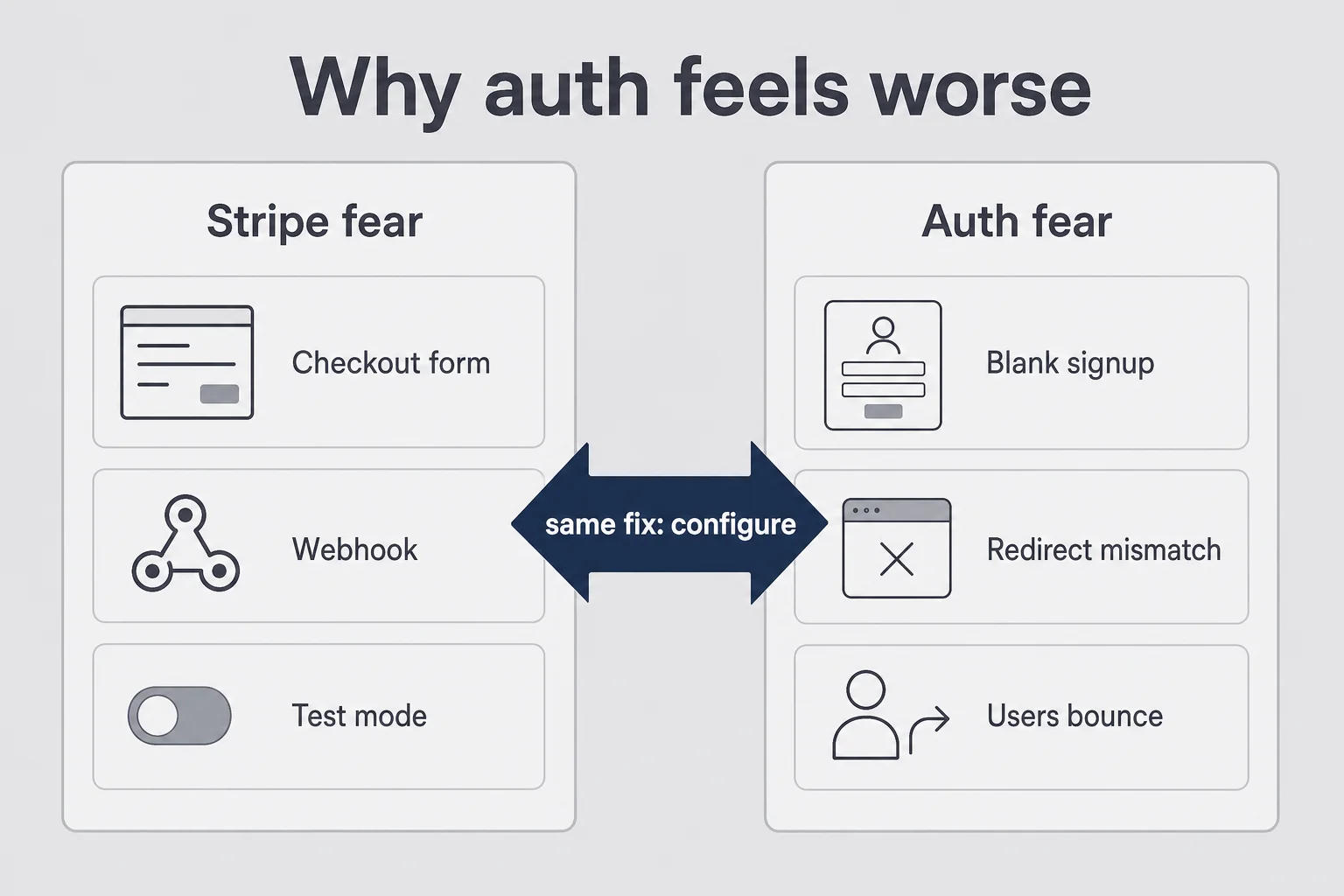
Stripe feels scary until you realize Checkout is a hosted form and webhooks are "tell my app the payment worked." Auth feels scarier because a failed login looks like the whole product died. Users do not think "misconfigured redirect." They think "this app is broken" and close the tab.
I have watched founders spend a week polishing onboarding copy while signup returned a 401 they never tested in incognito. They were not lazy. They were avoiding the feeling of not understanding. Avoidance is expensive. One hour of redirect URL hygiene beats three days of "maybe the host is down."
Auth also sits on the trust boundary. People type emails and passwords into your box. If the flow feels sketchy, they leave even when your feature is good. That is why polished auth components from Clerk feel worth money for some founders, and why a half-finished custom form is a tax on every demo.
There is also ego. Stripe failure feels like "payments are hard." Auth failure feels like "I am not technical enough." That story is a trap. Plenty of trained developers misconfigure redirect URIs. The fix is the same for them and for you: read the dashboard, match the URL, redeploy, test in incognito.
The reframe that helped me: auth is not a final exam in computer science. It is a checklist with a vendor logo on it. Checklists are allowed. Ops trained me for checklists long before AI could scaffold a Next app. Inventory sheets and campaign calendars were boring. So is auth. Boring ships.
When someone tells you to "just roll your own JWT auth, it is only a few lines," smile and walk away. Those few lines become a support career. You are trying to sell a product, not join a cryptography book club.
I also see founders pair auth fear with tool hopping. They rebuild the same login three times across Firebase, Clerk, and Supabase because each tutorial promised simplicity. Tool hopping is another avoidance costume. Pick one vendor that fits your current database story. Stay long enough to finish the smoke script. Then move on to the feature that earns money.
If you need courage, borrow it from a smaller scope. Do not "solve auth for the company." Solve signup for one email on one production URL tonight. Scope shrinks the monster.
Clerk auth solo founder vs supabase auth no code
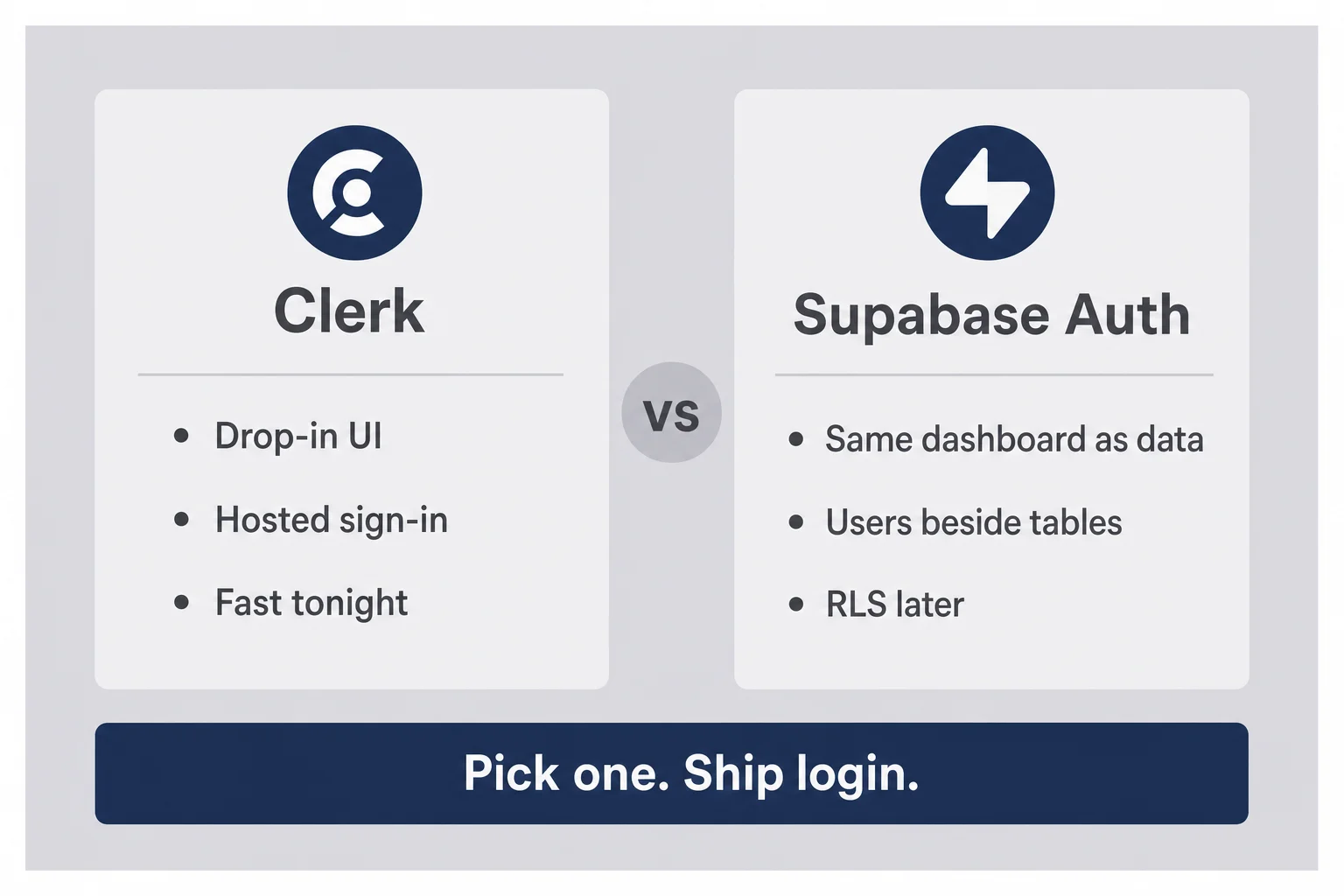
I get this question weekly. Here is the non-coder version without a holy war.
When Clerk is the calmer path
Clerk auth solo founder setups shine when you want drop-in UI, hosted sign-in pages, and less time arguing with form state. If Bolt or Cursor scaffolded a Next app and you want login working tonight, Clerk often gets you there with fewer "why is my cookie not setting" evenings.
You still configure API keys, allowed origins, and redirect URLs. You still test. You just outsource more of the UI and session glue. Pricing matters as you grow. For a first micro-SaaS with light traffic, the early tiers are usually fine. Read the current pricing page yourself before you promise free forever to yourself.
I like Clerk when the product is UI-heavy and I want the sign-in page to feel finished without me designing input focus states at midnight. I also like their documentation because Cursor can quote it without inventing APIs that never existed. When an AI hallucinates an auth method, your smoke test catches it. When you skip the smoke test, your friend catches it. Prefer the first.
Watch organization features. Clerk can do teams and roles. That does not mean you should turn them on for a single-player tool. Extra concepts create extra dashboards to misconfigure. Solo products get solo auth. Add orgs when a paying customer asks for seats and you are ready to support the complexity.
I budget an evening for Clerk the first time: create the application, copy keys into Vercel, paste the component or hosted path Cursor recommends, add production URLs, run the smoke script twice. If it takes longer, I am usually redesigning buttons instead of finishing redirects. Catch yourself. Finish redirects.
When Supabase Auth fits the stack you already have
Supabase auth no code is the natural pick when your data already lives in Supabase. One project, one dashboard, users next to tables, row level security as the long-term story. If your AI builder already wired Supabase, adding a second auth vendor can mean duplicate user records and confusion about which ID is "the" user id.
Supabase Auth can feel more "bare" than Clerk's polished components depending on your scaffold. That is not a moral failure. It means you lean harder on templates, docs, and prompts. It also means you stay inside one ecosystem when things break.
If your tables already key off auth.users, fighting that design to insert Clerk is how you spend a weekend mapping IDs. Stay with the grain of the stack you shipped. Switching auth vendors later is a migration. Starting with two sources of truth is a lifestyle.
RLS deserves a calm paragraph. Row level security is how Supabase keeps user A from reading user B's rows. You do not need to master every policy on night one, but you do need to know it exists and ask your agent whether new tables are locked down. An open table with user emails is not a vibe. It is an incident waiting for a curious stranger.
A simple Supabase night looks like this: enable email auth, set the site URL to production, confirm the redirect allowlist, connect your email provider or use the built-in option for early tests, then ask Cursor to wire signInWithOtp or the magic-link helper your scaffold expects. After that, stop adding features until the phone test passes. The database can wait one more day. The door cannot.
What I refuse to do on a first product
I refuse to store password hashes in my own database as a solo non-coder. I refuse to invent JWT handling from a blog post I half understood. I refuse to ship social login before email login works. Those refusals have saved me more hours than any clever prompt.
If a contractor or Max later wants to replace the vendor, fine. Day-one auth should be boring and rented. Your unfair advantage is shipping the job your customer pays for, not winning an argument about session storage on Hacker News.
I also refuse to connect production auth to a personal Gmail "for now" as the only recovery path without documenting it. When you are the only admin and you lock yourself out, the joke stops being funny. Keep a backup admin email. Write where recovery lives. Future you is a stakeholder.
Magic link auth saas: the default I recommend first
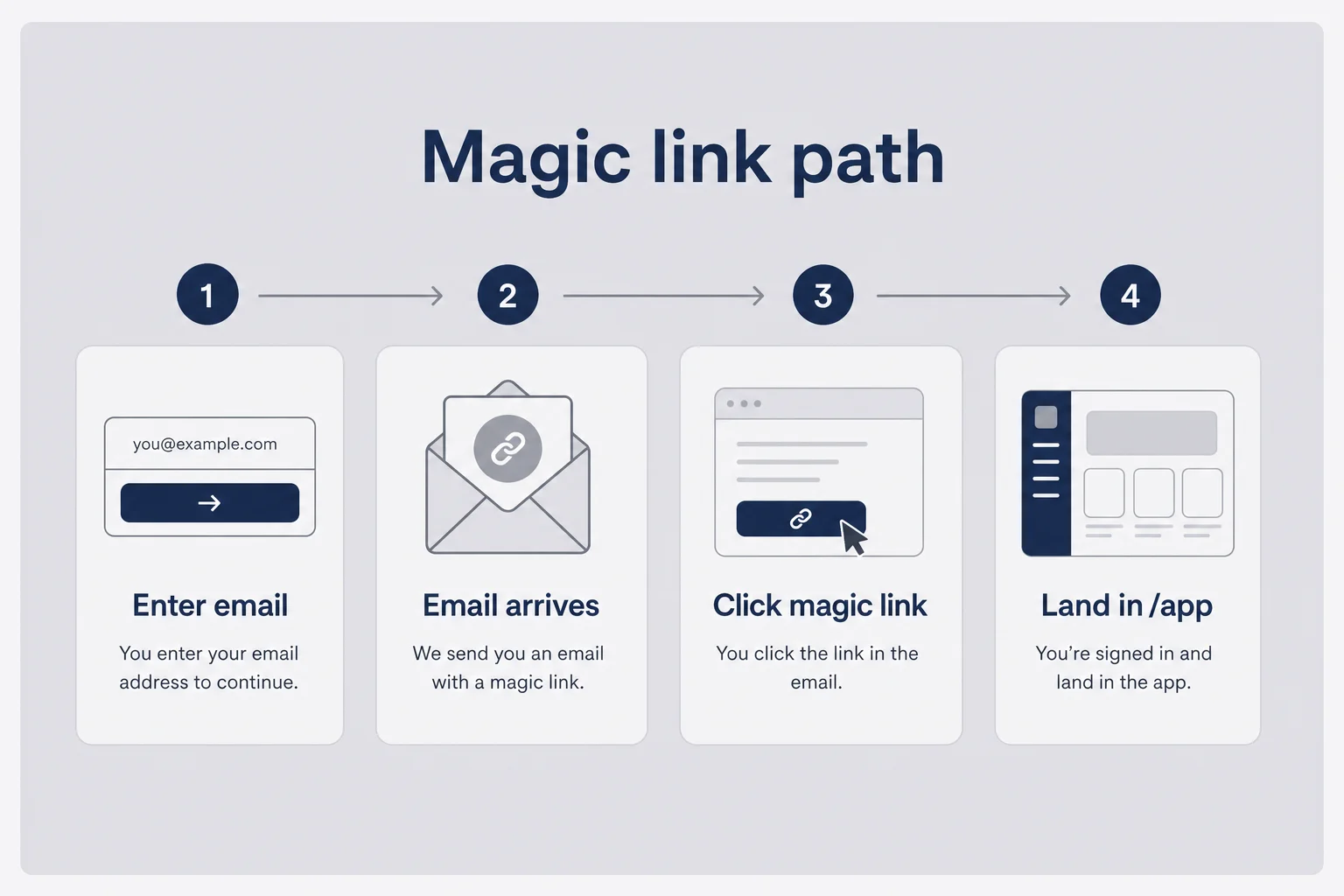
Magic link auth saas flows are my default for early products aimed at individuals and small teams. User enters email. You send a link. They click. They are in. No password to forget on day three. Fewer "I think I typoed my password" tickets when you are also the support queue.
The trade-off is email deliverability. If your magic links land in spam, your auth is broken in practice. Use a real transactional email path your auth vendor supports. Send yourself links on Gmail, Outlook, and your phone. Click them on cellular data, not only wifi next to your laptop.
I treat the email itself like a product surface. Subject line clear. Link obvious. Expiry honest. If the message looks like phishing, people will not click, and that is rational. Brand the sender name. Avoid raw no-reply addresses that scream spam filter.
Passwords still make sense for some audiences. If you sell to people who share accounts on a warehouse floor, or if your ICP is allergic to email links, offer passwords. Just add reset early. "Forgot password" is not a v2 feature. It is how returning users forgive you.
One-time codes (enter a six-digit number) are cousins of magic links. Same idea: prove email ownership without a long-term password. Pick one primary path. Supporting five login methods on day one is how you create five failure modes.
A practical rule: one happy path you can explain in a sentence to a tired user. "We email you a link. Click it. You are in." If your explanation needs a diagram, simplify the product before you simplify the diagram.
When I prompt Cursor for magic links, I include the product name, the after-login route, and the exact vendor. Vague prompts produce vague auth. Specific prompts produce something you can test. Example: "Use Supabase Auth magic links. After verify, send users to /app. Do not add Google yet." Then I watch the files it touches and refuse to merge anything I cannot narrate.
Expiry windows matter. A link that dies in five minutes frustrates mobile users who open email slowly. A link that lives for three days feels risky. Follow your vendor defaults first. Change them only when users complain with a pattern, not when you are bored and tweaking.
Also decide what happens if someone requests five magic links in a row. Rate limits exist for a reason. If your agent disables them "to make testing easier," turn them back on before strangers arrive. Testing ease is not a production policy.
Login signup non coder: the flows you must smoke-test
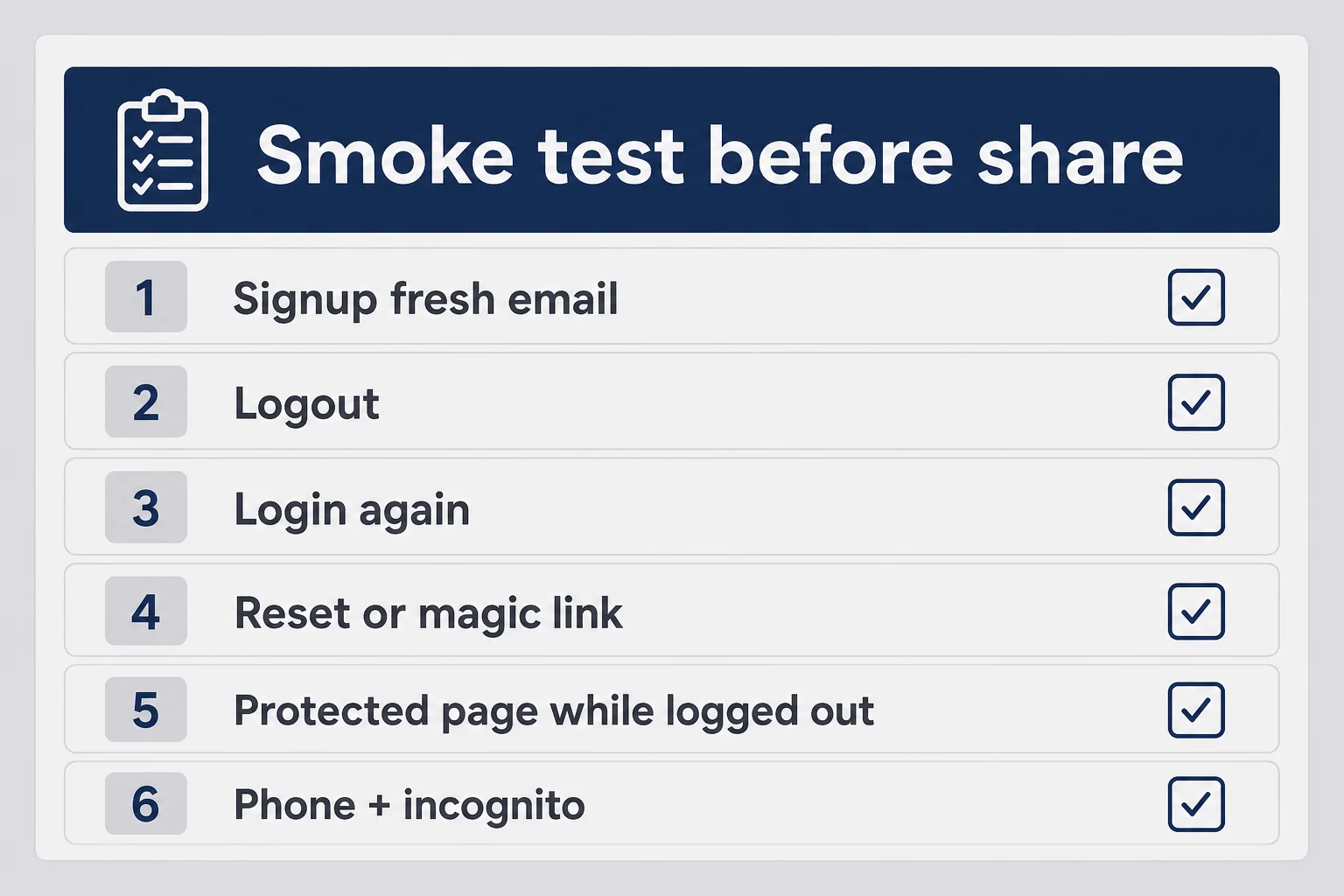
Login signup non coder testing is not optional polish. It is the difference between a demo and a product. I run the same script every time before I share a URL.
Signup with a fresh email. Land somewhere intentional (app home, onboarding, pricing gate), not a 404. Log out. Log in again. Request a magic link or password reset. Complete it. Open a protected page while logged out and confirm you get sent to login. Repeat on your phone in Safari or Chrome. Repeat in an incognito window so old cookies do not lie for you.
If any step fails, you do not soft-launch. You fix. Friends will try to be kind in feedback. Production users will not email you. They will bounce.
I keep a cheap second email address just for this. Using your daily inbox means you miss that the template looks broken or the link wraps weirdly on mobile. Ten minutes of theater saves you from shipping embarrassment.
Write the script in a note you can reuse. When Hermes ships a "quick auth fix," run the note again before you celebrate. Agents are confident. Your checklist is the adult in the room.
Redirect URLs are where dreams go to die
Every auth vendor has a list of allowed redirect URLs or site URLs. Localhost belongs there for development. Production belongs there before you announce. Preview deploy URLs belong there if you use them. When login "does nothing," nine times out of ten the callback URL is wrong or missing.
I keep a note with three lines: local, preview, production. After deploy, I update the note and the dashboard in the same sitting. Skipping that step is how you get the 11 p.m. blank page.
Watch trailing slashes. https://app.yourproduct.com/callback and https://app.yourproduct.com/callback/ are not always the same to a strict allowlist. Copy the URL from the error or from your vendor docs. Do not type from memory at midnight.
Preview deploys deserve a mention. Vercel preview URLs change. If you auth-test only on production and develop only on localhost, you will be shocked the first time a preview login fails in front of a collaborator. Either add a wildcard pattern your vendor supports, or accept that previews are for UI and production is for auth proof.
Custom domains add another beat. Connecting app.yourbrand.com without updating the auth allowlist is a classic self-own. DNS can be green while login is red. Treat domain cutover as an auth task, not only a hosting task.
Env vars: the second usual suspect
Publishable keys can live in the client. Secret keys cannot. Your host needs the same auth secrets your local .env had, under the right names, for Production, not only Preview. Change a key, redeploy, then test. Auth dashboards and hosting dashboards do not sync by telepathy.
If checkout works and login does not, you still check env vars. Half-configured apps are the non-coder special.
Name your projects. "my-app" and "my-app-copy" in Clerk plus three Vercel projects is how you paste the wrong CLERK_SECRET_KEY and then gaslight yourself for an hour. I label projects with the product name and environment. Boring labels. Fewer ghosts.
When you rotate keys, schedule five quiet minutes afterward for the smoke script. Key rotation without retesting is how you invent an outage during dinner. Also confirm you did not commit secrets to GitHub in a moment of "just for now." Just for now becomes forever in git history. Use the host dashboard. Use local env files that stay local.
Google login can wait (really)
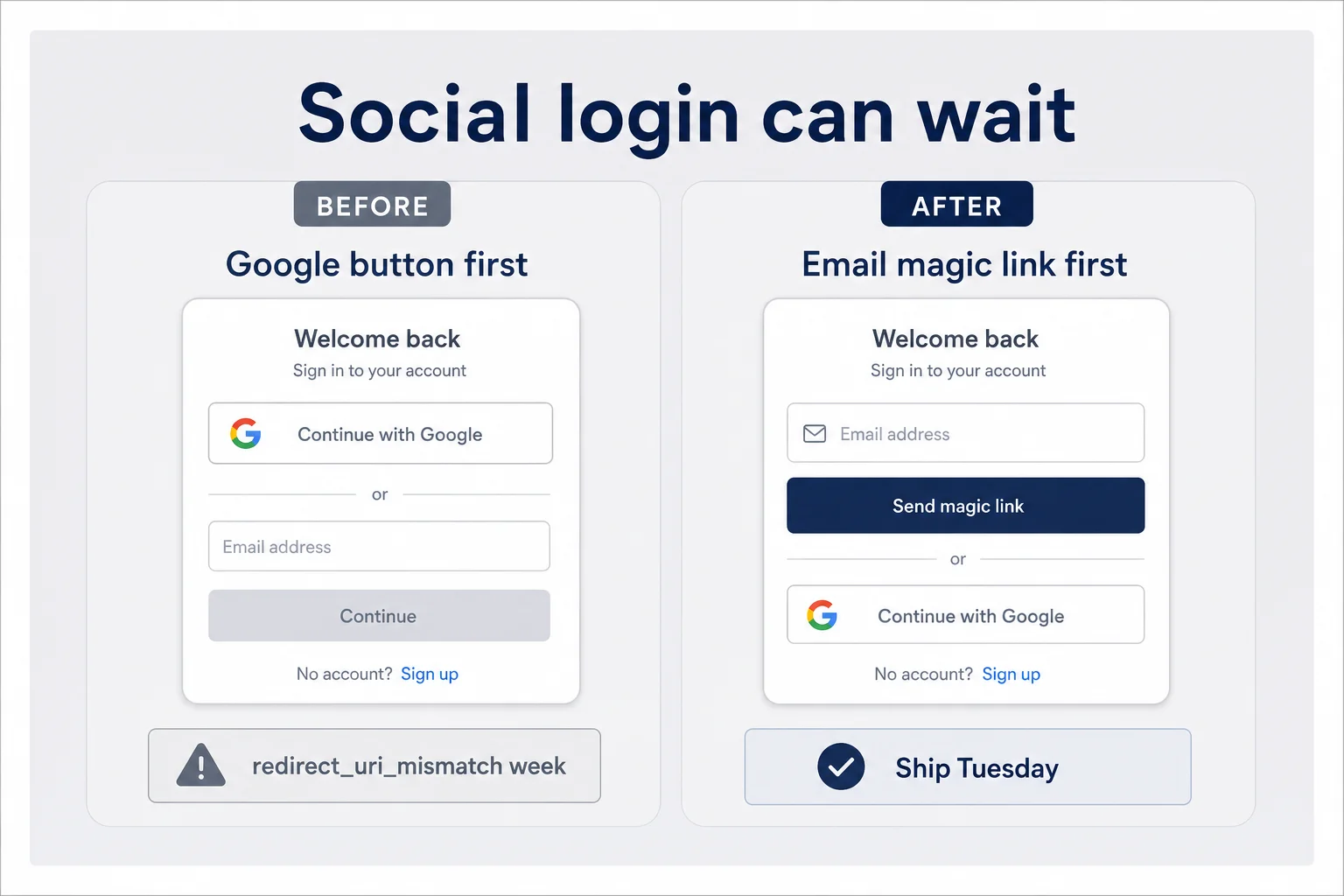
Social login looks modern on landing pages. It also adds OAuth consent screens, brand verification delays, and more redirect settings. I have seen founders block a launch for a week waiting on a Google Cloud console screen they did not understand, while email magic links would have onboarded the first customers on Tuesday.
Add Google when users ask, or when your ICP clearly expects one-tap signup (consumer tools sometimes do). Until then, a clean email form beats a Google button that returns redirect_uri_mismatch.
When you do add it later, treat it like a mini project: one provider, one smoke test path, one fallback to email if Google flakes. Do not turn on five social providers because a template showed icons.
Also know what you inherit. Social login means you depend on another company's outage and policy. Email magic links depend on email. Everything depends on something. Pick the dependency you can debug at 11 p.m. with docs open and an agent in the other window.
Apple Sign In has its own rules on iOS. If you are in Iryna's consumer App Store world, read those requirements separately. This post is the web micro-SaaS non-coder path. Do not copy mobile rules into a Vercel SaaS by accident because a template mentioned Apple.
Protecting routes without pretending you wrote middleware
Your app needs a door. Logged-out users should not see billing settings or the core workspace. How that door is implemented depends on the scaffold. Next.js apps often use middleware or server checks. Other stacks use route guards.
As a non-coder, you do not need to author that from first principles. You need to ask your tool clearly: "Protect every route under /app so logged-out users go to /sign-in. Keep marketing pages public." Then you verify by opening /app logged out.
Also protect API routes that change data. A hidden button is not security. If your agent only hid the UI, say so out loud and ask for server-side checks. I am not a security engineer. I am suspicious enough to ask "can a logged-out request still hit this?"
Pair auth with billing later. Being logged in is not the same as having an active subscription. Your pricing and trial choices decide what logged-in users can do. Auth only answers who they are.
A simple mental model: marketing site public, application shell private, billing portal gated by both login and plan status. If those three blur together, you will accidentally leave a settings JSON endpoint open or trap blog readers behind a sign-in wall. Ask Cursor to list public versus protected routes and read the answer like a skeptic.
After protection works, try the mean tests. Copy a logged-in URL into an incognito window. Open an old bookmark after logout. Hit the back button after logout. These are not exotic attacks. They are how normal people browse. If any path leaks the dashboard, fix it before you tweet the launch.
When login breaks at 11 p.m.
Have a small runbook. Open the auth vendor dashboard. Check the last signup attempt or logs if they exist. Confirm the email arrived. Confirm the link host matches production. Confirm env vars on the host. Confirm you redeployed after the last change. Try incognito. Try a second email provider.
If you still cannot see the failure, paste the exact error string into Cursor or your agent with your stack named. "It does not work" is not a bug report. "Magic link redirects to localhost:3000/api/auth/callback on production domain" is a bug report.
And if you are exhausted, stop shipping features. Auth bugs compound when you are tired. Put the URL behind a password page or stop sharing it until morning. Pride is how blank pages reach your first prospects.
I once spent two hours chasing a "broken" Clerk setup that was actually me testing the production URL while the keys in Vercel still pointed at a different Clerk application. The dashboards were fine. I had two projects and the confidence of someone who should have labeled them. Labels are free. Confusion is not.
Another night the magic link worked on wifi and failed on cellular because I had never allowlisted the production domain and my phone was not using the laptop's mental model of "it works here." Test off your home network. Users do not live in your living room.
When Hermes or Cursor proposes a fix, make it change one variable at a time. Auth debugging fails when you rewrite half the middleware, rotate keys, and edit three redirect URLs in one commit. You will not know what helped. Small changes. Redeploy. Retest. Operator patience beats panic commits.
Keep a "known good" note. Last date auth passed smoke. Which project IDs. Which production URL. When something breaks, you compare against known good instead of improvising mythology about what used to work.
Share the runbook with your future self in the repo README in plain English. Not for GitHub clout. For the night you forget which Clerk application is production. Three bullets beat a novel. Vendor name. Production URL. Where secrets live. That is enough to restart your brain when panic tries to write a new architecture instead of checking the allowlist.
How you know auth is ready for strangers
You are ready when the smoke script passes twice on phone and desktop, when redirect URLs include production, when magic links or resets arrive within a minute, when logout actually clears access, and when you can name which dashboard owns users without opening the repo.
You are not ready when only your main browser profile can log in, when signup works but returning login fails, or when you have never clicked the email link on cellular data. Local wifi hides sins.
After auth is boring, go build the feature people pay for. Auth should disappear into the background. If you are still tweaking login button gradients while nobody can reset access, you are decorating the door instead of opening it.
For the wider non-coder stack around this, my tools post still maps the layers. Auth sits in the "ship and operate" layer next to hosting and payments. It is not a side quest. It is how strangers become accounts.
Readiness is also emotional. If you feel sick sharing the link, that feeling is data. It usually means you skipped a smoke step. Do the script again. When the sick feeling fades into boredom, you are closer to launch than any amount of feature work can buy.
Ship the front door. Then prompt the next feature with a clear brief. Accounts without a useful core loop churn. A useful core loop without accounts cannot charge. You need both. Tonight, make the door work.
If you want a ruthless definition of done: a stranger on a phone, on cellular, with a fresh email, can sign up, leave, return the next day, and reach the paid or trial surface without texting you. Until that is true, you are still in rehearsal.
Celebrate that done state quietly. Do not announce a launch from the dopamine of a single successful login on your own laptop. Wait for the stranger test. Wait for the next-day return. Then tell people. Auth readiness is a gate in front of marketing, not a badge you pin on a half-working demo.
Questions founders ask me about auth without coding
Can I add auth to a micro-SaaS without knowing how to code?
Yes, if you use an auth product instead of inventing login yourself. Clerk and Supabase Auth give you signup, login, sessions, and password reset with dashboards and docs your AI tools can follow. Your job is configuration, redirect URLs, environment variables, and smoke tests. You do not need to write cryptography or session cookies by hand.
Should I use Clerk or Supabase Auth as a non-coder?
If your app already lives on Supabase for data, start with Supabase Auth so one vendor owns users and tables. If you want polished UI components and faster signup flows with less wiring, Clerk is often easier for solo founders. Both beat rolling your own. Pick one, ship login, and stop comparing forever.
Are magic links safer than passwords for a first micro-SaaS?
For many early products, magic links or one-time codes reduce password reset tickets and weak password problems. Users click a link in email and land signed in. You still need a working email provider and correct redirect URLs. Passwords are fine if your audience expects them. Magic links are a strong default when you want fewer support fires.
Why does login work locally but fail in production?
Usually redirect URLs, environment variables, or site URLs are still pointed at localhost. Production needs the live domain allowlisted in your auth dashboard, live API keys in the host, and a redeploy after those changes. Test signup and login in an incognito window on the real URL before you announce anything.
Do I need Google or social login on day one?
No. Email magic link or email plus password is enough for your first ten customers. Social login adds consent screens, brand approval delays, and more redirect settings. Add Google later if users ask for it or if your ICP clearly expects one-tap signup. Shipping broken Google OAuth is worse than a plain email form.
What should I test before inviting real users?
Signup, logout, login again, password or magic-link reset, and one protected page that rejects logged-out visitors. Repeat on your phone. If any step dumps you on a blank screen or loops back to localhost, fix it before marketing. Auth is the front door. A pretty app with a stuck door does not get paid.
The front door is part of the product
I used to treat login as the boring hallway before the "real" app. Then a blank signup page taught me that strangers never see the real app if the hallway traps them.
Auth micro saas without coding is not a shortcut around responsibility. It is a refusal to invent cryptography as a hobby. Rent the hard parts. Configure the redirects. Test like a suspicious friend on a phone. Then go sell the thing people actually wanted.
The product does not care who wrote the session code. It cares whether someone can get in, come back tomorrow, and pay you without texting you a screenshot of a white screen at 11 p.m.
If you take one habit from this post, take the sticky note. Users live where you wrote they live. Open that dashboard first. Fix the allowlist. Redeploy. Click the link on your phone. Then go to sleep like someone who owns a door that opens.
And if tonight still feels hard, shrink the goal again. One vendor. One email method. One production URL. One smoke script. That is a complete auth micro saas without coding win. Everything else is costume jewelry on the doorknob. Ship the hinge. Collect the first stranger who returns without you. That returning click is quieter than a launch thread and worth more.
Tomorrow you can argue about Google buttons and team invites. Tonight you can make email login boring. Boring is the goal. Boring means the front door stopped being the product drama. Then the real product finally gets a chance to be judged on what it does, not on whether anyone could enter.
I will take boring doors over clever hallways for the rest of my founder life. Clever hallways impress other builders. Boring doors let customers pay. Pay is the point. Configure the vendor. Run the script. Open the door. Go build what they came for.
If this post did its job, your next hour is not reading more auth Twitter threads. It is opening Clerk or Supabase, pasting production URLs, redeploying, and clicking a magic link on your phone. That hour is the whole article compressed into action. Take it. The blank page at 11 p.m. only wins if you keep negotiating with it. Finish the allowlist. Win the hour. Move on. Your customers are waiting on the other side of a door that only you can unlock tonight. Go unlock it before you open another AI chat about architecture. The chat will still be there after login works. The customers will not wait forever. Neither should you.




Comments